

Super Simple Guide to Using Binance for Beginners, the app for buying and selling cryptocurrencies like Bitcoin. We’ll cover making an account, adding money, selling crypto, investing, and setting up a wallet.
Using Binance for the first time, you simply need to do these four steps to get your crypto journey started.
- Register for an account
- Complete identity verification
- Buy/Deposit crypto
- Trading crypto
A few things to remember before investing in cryptocurrency. The crypto market is a very volatile and risky product. A lot of swings keep happening in the crypto market; a few of the great investors don’t consider crypto as an asset because it doesn’t generate any cash flows, nor is it backed by demand and supply. So, we ask you to do proper due diligence before investing in cryptocurrency. This is just an educational post, not investment advice.
Step 1: Register for an account
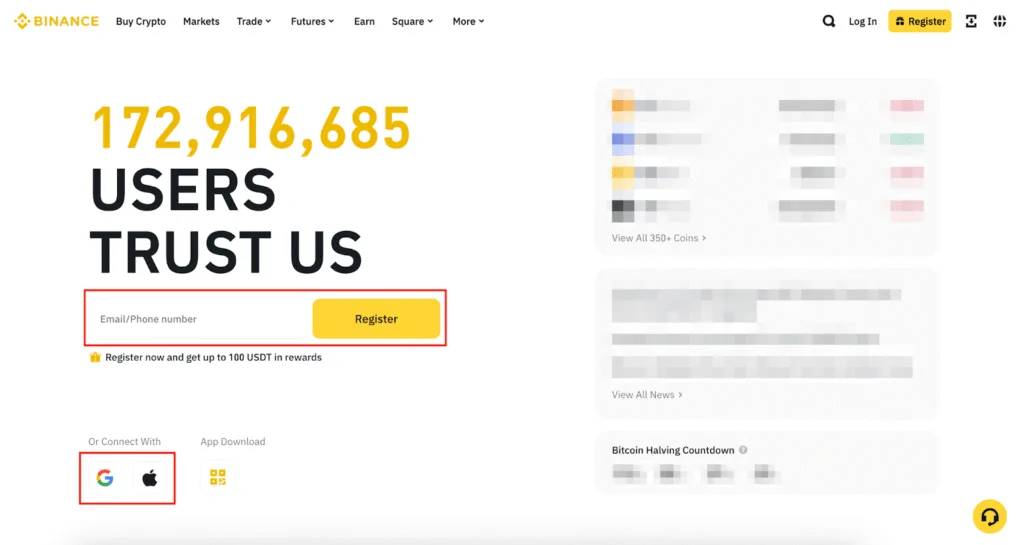
Step 2: Complete identity verification
Once you complete step 1, you will be inside the Binance platform. The very next thing is to complete your identity verification to unlock deposit, withdrawal, and trading limits. This process typically takes a few minutes to complete. You’ll need to provide your basic information, ID documentation, and complete a facial verification.
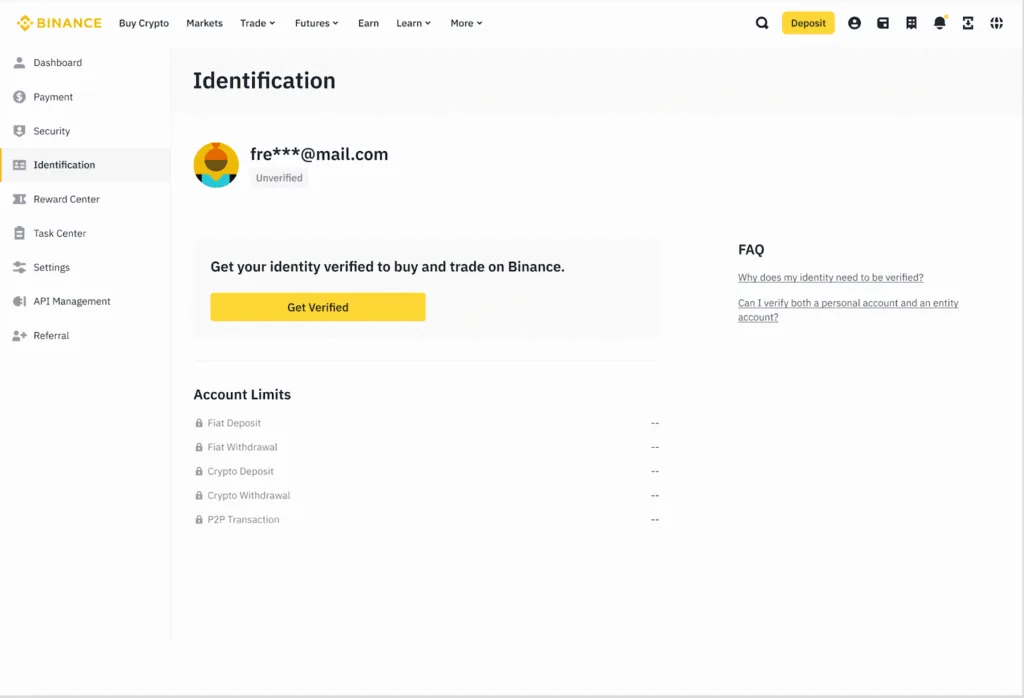
There are a lot of documents that you can provide to get yourself verified. It varies from country to country. Usually, it takes 48 hours to get verified, but in some cases it may take longer.
Be sure to secure your Binance account: While we do everything to keep your account secure, you also have the power to increase the security of your Binance account greatly. We recommend enabling at least one two-factor verification (2FA) for your account. Check out the security tips section for more details.
Step 3: Buy/Deposit crypto
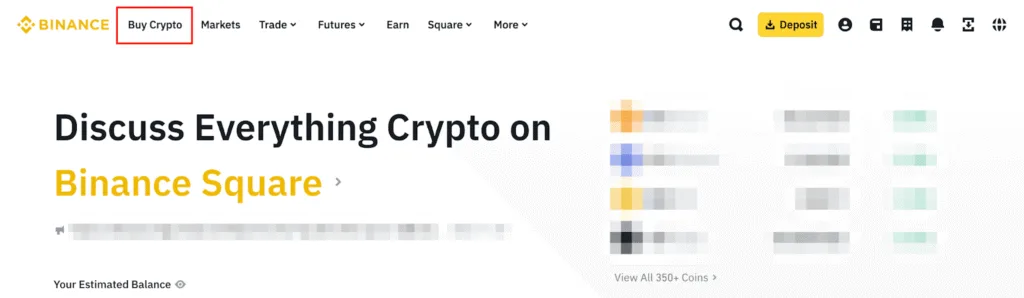
3.1 Buy crypto
- Open app > Tap Wallet > Deposit.
- Pick your money (like USD or EUR).
- Choose Bank Transfer > Add your bank details > Type how much (at least $10).
- Send money from your bank. It takes 1-3 days to show up.
3.2 Deposit crypto
- Tap Wallet > Deposit > Pick crypto (like Bitcoin).
- Copy the wallet address (or scan QR code).
- Send crypto from another app (like Coinbase). It takes 5-30 minutes.
3.3 Sell crypto
- Open app > Tap Trade > Convert (super easy).
- Pick what to sell (like Bitcoin to USD).
- Type how much to sell > Tap Sell (it happens instantly).
- Money goes to your Binance wallet.
- Get cash to bank: Wallet > Withdraw > Pick USD > Add bank details > Send (takes 1-3 days).
Step 4: Trading Crypto
You can trade hundreds of cryptocurrencies on Binance via the Spot, Margin, Futures, and Options markets. If you hold BNB and use it to pay for trading fees, you can receive special discounts (25% on Spot and Margin and 10% on Futures). If you are a VIP user, you can also receive a 25% discount on top of your VIP discount.
You can also set up your Binance wallet Simply follow these steps.
- Open app > Tap Wallet > Web3.
- Tap Create Wallet > Make a password.
- Write down the 12-word “recovery phrase” on paper (super important, don’t share!).
- Type the words to confirm > Wallet is ready.
- Move crypto: Wallet > Transfer from main Binance to Web3 wallet.
Note: Hide your recovery phrase in a safe place.
The Bottom Line
Opening a Binance account is very simple, but investing in crypto is risky. Take your trade after you have done all the due diligence, just follow the simple steps to get started with your diversification journey through crypto. Always remember your password, security codes to make your life easy. Never put everything in one basket.
Risk warning: Trading cryptocurrencies involves significant risk and can result in the loss of your capital. You should not invest more than you can afford to lose and you should ensure that you fully understand the risks involved. Before trading, please take into consideration your level of experience, purchase objectives, and seek independent financial advice if necessary. It is your responsibility to ascertain whether you are permitted to use the services of Binance based on the legal requirements in your country of residence. Purchasing crypto assets are not covered by the Financial Ombudsman Service or subject to protection under the Financial Services Compensation Scheme.
